Technology Tuesdays: Do Social Networking Apps cause Anti-social behaviour?

English: Data from April 2011 Editor Survey th...

English: Data from April 2011 Editor Survey that lists Social Media activities (Photo credit: Wikipedia)

Facebook logo Español: Logotipo de Facebook Fr...

Facebook logo Español: Logotipo de Facebook Français : Logo de Facebook Tiếng Việt: Logo Facebook (Photo credit: Wikipedia)

This might seem like a puzzling concept at first glance, but I think anti-social behaviour is definitely at a rise since the APP Industry has kicked off.  For instance, apps such as Facebook and Instagram are both a platform for users to engage with one another.  However, by engaging with each other through cyber space the level of human social interaction is limited.

Whenever I go to parties nowadays, a large number of people are constantly on their mobile phones.  Well to be honest, so am I – it’s addictive.  People are checking-in on Facebook through location services or taking photos of food through Instagram. This limits their social interaction with each other.  It’s simply ironic – social media cause antisocialism!

I’ve always wondered if there’s a solution to this – or is this really the future?  If I want to talk to the person next to me, do I send an iMessage to send a virtual nudge?  Is this what the future truly holds? These questions are daunting and the implications are alarming.

The Ushuaia Beach Hotel (in Ibiza, Spain) combats this problem!  It promotes social interaction through social media.  Guests are given wristbands at the start of their stay.  These bands enable guest to activate their Facebook accounts at various Facebook stations that are scattered around the hotel.  Once the account is activated, checking in is simplified and users are able to share their holiday off-line with their online friends.  This hotel is officially on my bucket list!

Image

(Picture taken from cosmopolitan uk page)

I guess people have to consciously try to be sociable and engage in conversations without their phones constantly in their hands.   Alternatively move to Ibiza where they can have the best of both worlds!

Living in the UK Exam – there’s an APP!

Hello everyone! 🙂

I PASSED the exam! CELEBRATIONS are in place!  My husband picked me up from the centre and he got take away for lunch! How sweet of him.

I was in exuberance upon getting my result.  Ok, the actual exam was very tricky.  I was surprised that the first question left me dumbfounded. I was like huh? The Crimean War? What does that even have to do with Living in the UK.  Luckily, I remembered a bit here and there from the study guide.  I studied more on UK policies than the history.  Studying does pay off. I started off Uni in law school – that actually really helped me study smart and mind map concisely. All in all – I’m just so happy to get it out of the way.

Completely side tracking, but the examiner loved my nails. 🙂  Pretty nails are usually a conversation starter or just a simple ice-breaker.  🙂

YES.  So I passed.  The APP really did help.  I’d suggest anyone applying for a settlement VISA in UK to download the app.  It was 2 or 3 pounds – enough to make me pause and think.  Then I weighed out the opportunity cost and logically thought to myself that I just makes sense.  And it did.

There were about 7-10 exact questions, or very similar.  It’s a bit of a blur right now.  Somehow after an exam its always hard to recall EXACTLY what was asked.  Saying that, I know exactly what was not asked (nothing about the elections or the UK coalition party).  Which makes me wonder about the importance of the exam in the first place.

Furthermore, around 10 questions were completely new to me.  They weren’t in the trial mock exam database in the app and the remainders were just similar content but different wording.

Tips for people taking this exam in the future:

  1. I’d suggest to actually study.  Even if you feel nerdy doing so, do it.  It’s 50 pounds – don’t waste it.
  2. Download the app – do the mock exams repeatedly until you know the answer before reading the question.
  3. Make notes – trivial facts are actually asked.
  4. Be confident but not overconfident. Re-read the question.

Good luck to all.  Migrating often seems adventurous and fun to most.  Unfortunately there’s endless paperwork and issues regarding legality that need to be followed.  To top it off – an exam!

Technology Tuesdays: Whatsapp

My most used app ever. Whatsapp.  I honestly forgot it was even an “app”! I use it more than normal messaging. I downloaded it when it was FREE (I’m usually that sort) but as a paid app it’s definitely worth it – as once you have paid, unlimited text around the world with other whatsapp users.

In addition, it gives the user the ability to create group messages up with up to 30 participants.  This enables me to keep in touch with my cousins scattered around the globe.  Namely in:  Thailand, Singapore, London, USA, Copenhagen, Indonesia, Australia, Shanghai etc.  My phone is constantly buzzing due to the different timezones.  With this app, I constantly feel like there’s always someone who is a message away.  Though, don’t be alarmed – chats can be muted with ease if this level of social networking terrifies you.

Image

The picture above is a snapshot of my iPhone.  I absolutely love being in touch with my family and friends.  Relationships are a beautiful gift from life, some you are born with and some you create along the way.  Some obviously you are stuck with 😉  Whatsapp enables you to be in the person’s life without personally being there – just through a simple free text.  Somehow, I am not too keen to being on the phone extensively.  I prefer just sending a message across if I am thinking of someone instead of making a phone call.  Small talk isn’t me, small message is!

Features that Whatsapp has which enables users to:

  • Send free text messages to anyone with Whatsapp (You can view compatible contacts under “contacts” in the app)
  • Send audio/video/photos to users or in chats
  • SendCurrent location map – this is especially useful if you are meeting a friend and are lost!
  • Broadcast Message to groups of people – this is efficient if you want the same message sent to many different people.  I use this for New Year Wishes to all!
  • Personalize your display picture, and name

These are the predominant features of this app.  Hope you enjoy it 🙂

X

B

App Review: Flipboard

Flipboard is one of my most used apps on my iPad (it’s the mini, in case you were wondering!  And I absolutely love it.  It was a gift from my husband 🙂 I should bake him more cookies, it seems to be working ) 🙂  It’s become a digital age magazine, where while watching TV you can browse through saved sites, RSS feeds etc.

Image

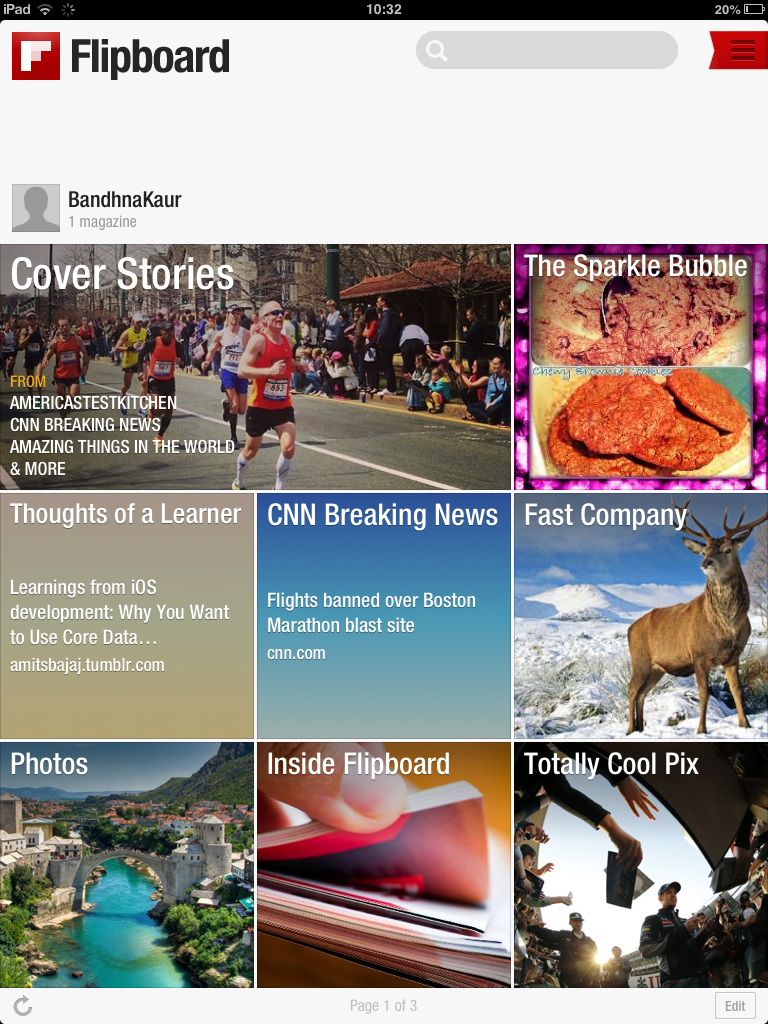
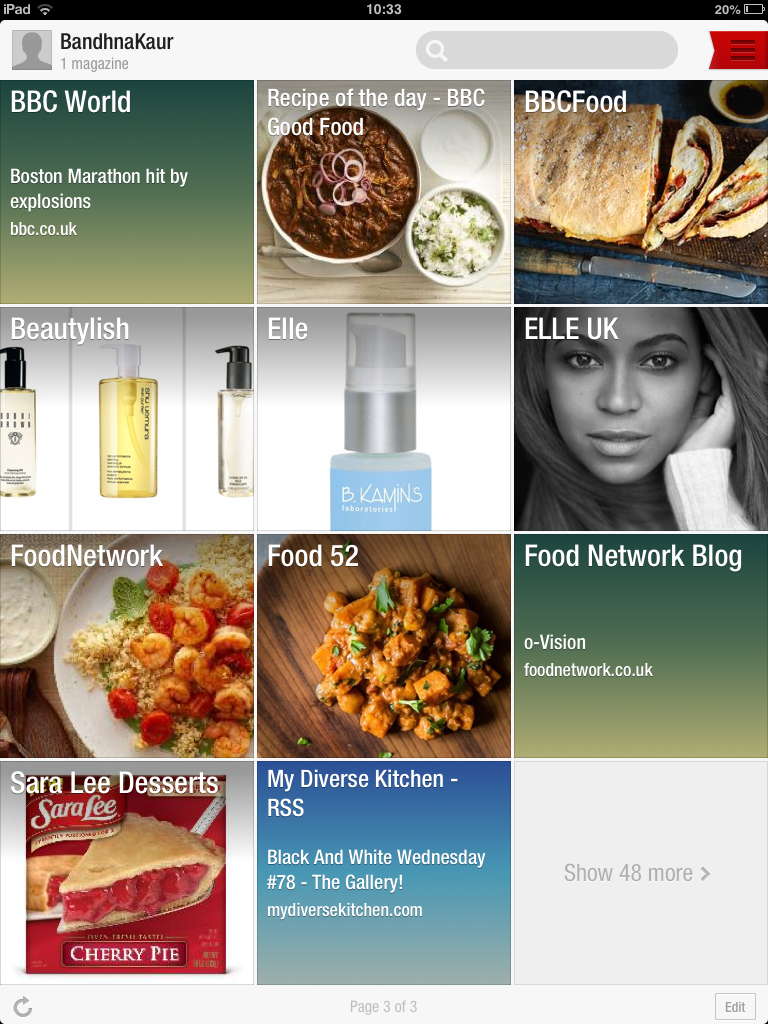
This is how it looks.  I love the format, as its easy to use and easy on the eyes.  Nothing too complicated – which is good as that would contradict the very notion of it being like a magazine.  It’s meant to be relaxing, not complicated.  I usually browse News, Recipes, Blogs, Fashion, etc.  Since I have a blog now, I’ve added it to Flipboard 🙂 And besides, the brownies look far too tempting for it to be denied attention!

Image

The latest update allows users to save articles to read later and personalize their very own magazine.  This magazine would consist of articles that interest them which they have selected.  I think this feature is extremely helpful when users are commuting on the tube.  That is if they get a seat.  I can’t imagine using my iPad while standing in the tube next to thirty thousand other commuters.  The tubes here are a nightmare.  London should really learn from Japan.  The train system was brilliant 15 years ago compared to the present day tubes.  I seem to be going off tangent! 😉  If you lived in London you’d empathize with me completely.

In a nutshell – things I love about it:

  • Easy to Use
  • Digital Magazine Style that has gone right!
  • Saving articles for later is a brilliant idea (esp for commuting)


VERDICT:

TO DOWNLOAD OR NOT TO DOWNLOAD:  TO DOWNLOAD


Technology Tuesdays: Paprika (Recipe Manager App)

Today’s app – PAPRIKA.  My favorite Recipe App!Image

Hello there!  Hope you all had a wonderful weekend.  Weekends we mainly eat out and try different restaurants.  Or we go to the same restaurant and end up ordering exactly the same thing to avoid disappointment!  Sounds ironic but when you get to one of your favorite restaurants, you know exactly what would satisfy you and the risk of a new dish is almost frightening.

Weekdays we eat at home, which means I get to show-off my culinary skills or the lack of. haha! Which brings me to today’s featured app – Paprika.  It’s actually the only app I use for recipes.  I usually download mainly free apps unless the paid app proves to be very useful.  I’m quite frugal when it comes to apps (not so when it comes to designer handbags).  We have to save somewhere! 🙂  This app is usually $4.99 and you can check it out here: http://www.paprikaapp.com/blog/ (apparently there’s a sale at the moment!)

Firstly, the APP lets you search for recipes from all over the web through your internet browser.  It also provides suggested supported sites which are very useful.  I especially like to go to AllRecipes and BettyCrocker.   However. there are times I like to go to other sites and Paprika gives me this flexibility.  When you come upon a recipe that you would like to save – instead of a snapshot, it will save it in a uniform template into your recipe organizer.  Prior to this app, I used to snapshot what I liked and had to go through my photo gallery frantically when I was about to try something new.  That was pretty inefficient and time consuming.  Now I am able to save, categorize and store in an effective manner.

Sometimes, you come across a site that is not supported by this app as it cannot differentiate the text in the blog from the recipe.  There is toolbar at the bottom of this app that overcomes this problem.  You are able to manually copy the ingredients, method, title and store it in the template where you can then save.

Image

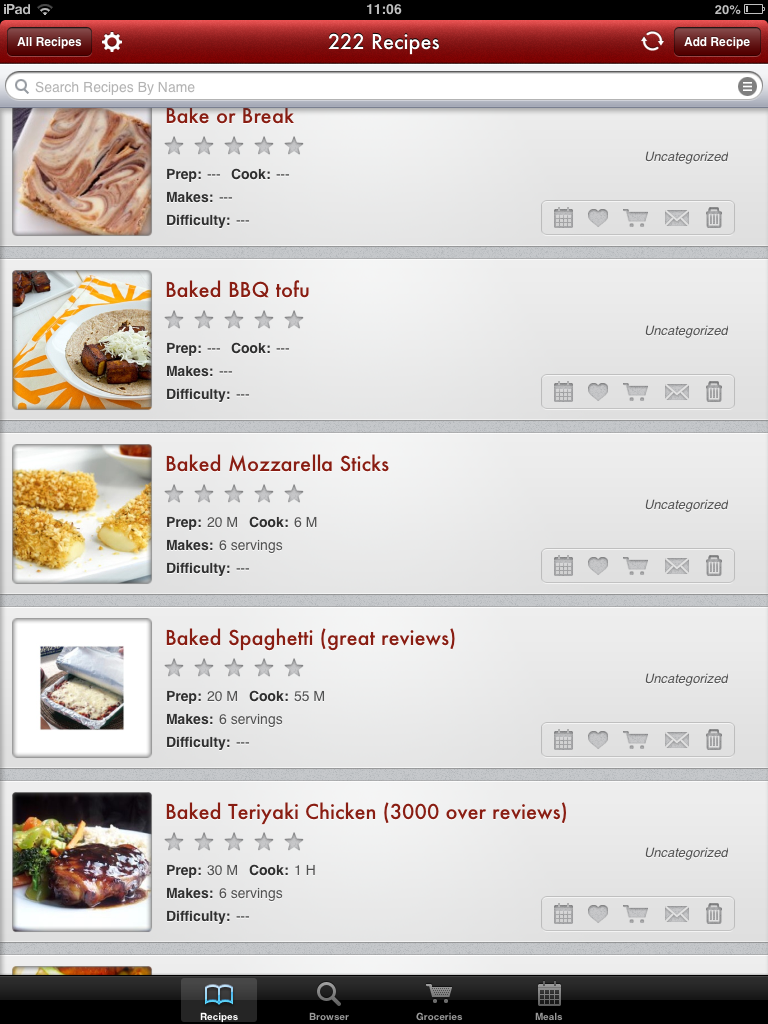
The picture above is a snapshot of my Paprika Recipes.  This demonstrates the way in which my recipes are stored.  There is a search button on the top which allows the users to search their own saved recipes.  Also, you are able to save your own recipes in the same format to add to this collection.

Secondly, if technology isn’t quite your “thing”, it allows you to print recipes so you can have them in a recipe file if that’s how you are used to storing them.  I have to admit, that I print some of my recipes instead of taking my iPad or iPhone in the kitchen with me all the time.

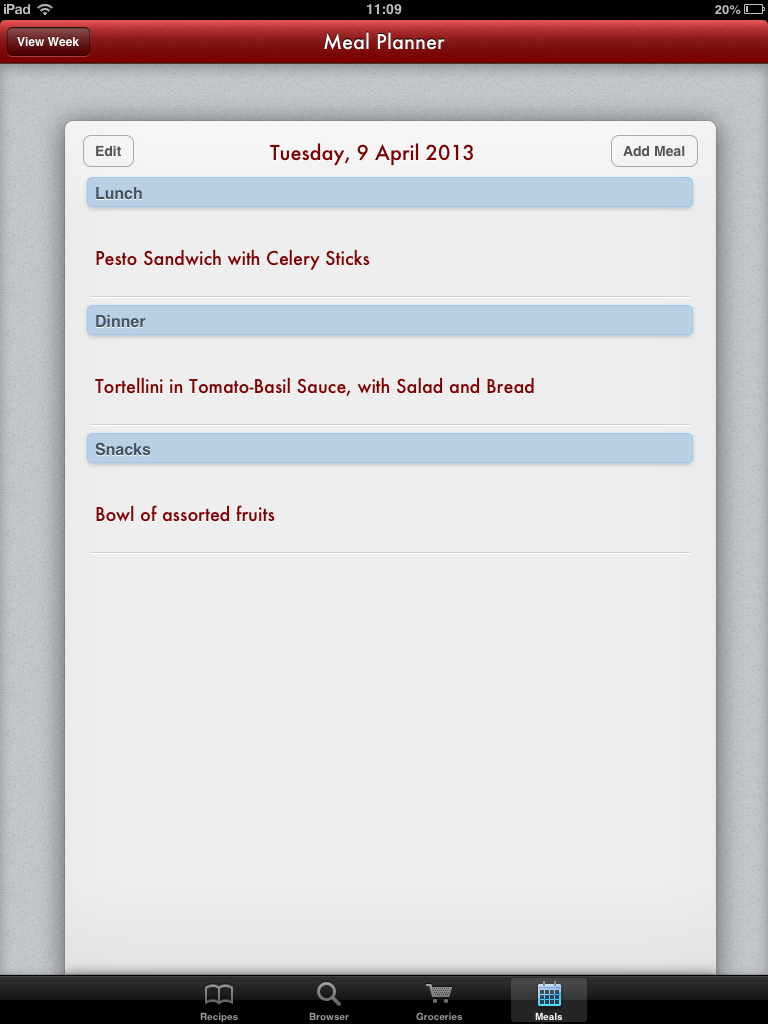
The last feature that this app is able to do is – plan meals.  Frankly, I do not use this feature much as I rather plan my recipes weekly.  Also – my husband sometimes doesn’t quite like sticking to the plan and has spontaneous food cravings.  🙂  Eitherway, the picture below shows how this feature can be used.

Image